Birthday song generator: a custom song with their name
Tell Melos who it’s for: name, age, hobbies, a funny story. In a couple of minutes you get two original songs about them, ready to send with a link.
Birthday song ideas for everyone on your list
Tap a card, and the description, style and voice drop into the generator. Fill in the name and a couple of real details.
Made with Melos: press play
Flip through the covers and listen right in the card. Each one shows the prompt behind the track.
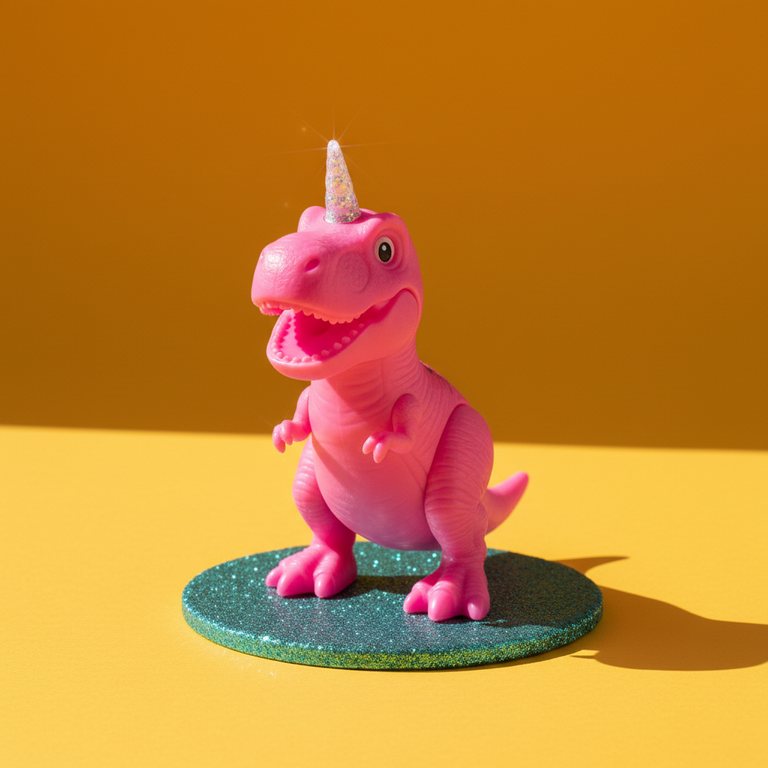
A bouncy birthday song for Lily turning 7, who loves dinosaurs and unicorns

A birthday love song for my wife Jess — road trips, bad jokes and our dog Max

A birthday song for my best friend Emma

A funny country birthday song for Tyler, who always burns the burgers

A warm birthday song for Mom turning 60 — her garden and Sunday pancakes

A classic rock anthem for Dad turning 50 — the old pickup truck and fishing trips

A gentle folk song for Grandma Rose turning 85 — apple pie and stories by the fire
How to make a birthday song in three steps
No songwriting or music skills needed. The more real details you give, the more the song sounds like it’s about them.
What makes it their song
An AI birthday song that isn’t a stock recording with a name pasted in: it’s a brand-new song written around the person you describe.
More from Melos
Ways to give a birthday song
Your songs: download them, use them
Plenty of AI song generators let you make music but ration what you can take with you. Melos doesn’t: download every song you create, and use it in your projects on any paid plan.
Simple pricing, no hidden fees
Frequently asked questions
Type their name and a few details into the description (age, hobbies, a nickname, a funny story), then choose a genre and a voice. Press Create song, and in a couple of minutes Melos gives you two versions with lyrics written about them. You can also paste lyrics you wrote yourself.
Your first song is free after you sign up: one generation gives you two versions, and both download as MP3. Songs from the free try are public, with vocals in English. After that, songs are made on a pack or a subscription.
Yes, with one thing to know: songs from the free try are public. If nobody should hear the song early, make it after your first purchase: from then on your tracks are private and only you see them until you send someone the share link.
No, Melos doesn’t record the classic tune with a name swapped in. Every song is written from scratch with its own melody, lyrics and arrangement, and you can ask for “happy birthday” and the person’s name right in the chorus. It’s a song nobody else has, not another take on the familiar one.
Yes. Ask for a funny or roast-style song in the description and give Melos real material: what they’re always late for, a nickname, an inside joke. Specific details are what make it funny. Upbeat genres like pop-punk, country or rap help the jokes land fast.
Write the name the way they spell it every day; if it’s unusual, try spelling it the way it sounds. Each generation gives you two versions to compare, and on the Starter+, Pro and Max subscriptions you can rewrite just the section where the name doesn’t come out right.
Press Share to get a link and send it by text, email or any messenger. They open a page with the song, cover art and word-by-word karaoke, and they don’t need to sign up. You can also download the MP3 to play at the party or add to a video.
Yes. Choose My own lyrics and paste up to 5,000 characters, with [Verse] and [Chorus] tags if you like. Melos sings your words as written and builds the melody and arrangement around them in the style you pick.
Usually 2½–3 minutes, enough for a couple of verses and a chorus that comes back. It takes a couple of minutes, and a draft is playable about a minute and a half before the final file. You can close the page; the song waits in your history.
Pop, country, rock, acoustic, rap and hip-hop, R&B, a song for kids and more: the Style catalog has 60+ styles, and you can combine up to five. Pick a female voice, a male voice or a duet. You can also name an artist in Like an artist to get close to their sound (their voice isn’t cloned).
Yes. English is available on every plan. Spanish, French, German, Italian, Portuguese, Japanese, Korean and the rest of the 12 singing languages come with the Pro and Business packs or the Starter+, Pro and Max subscriptions.
Yes, on the Pro and Max subscriptions. Record 15–30 seconds of singing once, and Melos can sing new songs in your voice, so the birthday song sounds like it came from you.
Personalized birthday songs: how to make one that feels like them
Search for a happy birthday song with a name, and you’ll mostly find the same recording with a long list of names swapped in. A birthday song generator like Melos works the other way around: you describe the person, and it writes a brand-new song about them. Their name goes into the lyrics, and so do the details only your people would recognize: the nickname, the road trip that went sideways, the dog who runs the house. Melos composes the melody, builds the arrangement and sings the words, then gives you two versions to choose from.
What to put in a personalized birthday song
You don’t need a long list. Start with the name they actually go by, their age if they’re happy to share it, and who they are to you. Then add two or three specific things: a habit, a catchphrase, a shared memory, something they’re proud of this year. Finish with the mood (heartfelt, silly, nostalgic) and, if you like, a wish for the year ahead. Specific beats general every time: “always burns the pancakes” gives Melos far more to sing about than “a wonderful person.”
Birthday songs for mom, your partner, friends and kids
Match the song to the person. For mom or a grandparent, a warm acoustic ballad or a gentle country song with one family memory usually hits home. A birthday song for your wife or husband can be a romantic soul-pop duet built around how you met. A best friend can take a funny roast over pop-punk or a rap beat, as long as it stays affectionate. Kids love a bouncy sing-along full of their favorite things, a 50th can go full classic-rock anthem, and a coworker’s song should stay light and office-safe.
Keep the surprise: private songs and share links
Your first song is free after sign-up, and both versions download as MP3. Keep in mind that songs from the free try are public. If the song is a surprise and nobody should hear it early, make it after your first purchase: from then on your tracks are private and only you see them. When the day comes, press Share: the birthday person opens a full-screen page with the song, its cover art and word-by-word karaoke, and they don’t need an account to listen.
Your own lyrics, a rewritten verse, another language
Wrote a poem or a toast? Paste it into My own lyrics, and Melos sings it word for word in the genre you pick. Prefer to read the AI’s lyrics before the music? Use Write the lyrics now, edit the lines, then create the song. On the Starter+, Pro and Max subscriptions you can rewrite a single verse or chorus without touching the rest. English is available on every plan, and all 12 singing languages come with the Pro and Business packs or those same subscriptions. On the Pro and Max subscriptions, Melos can even sing in your own voice.
Make their birthday song in a couple of minutes
Write their name and a few real details, and two original songs will be ready shortly. Your first song is free after sign-up.