MiniMax Speech 2.8 HD: text to speech with pauses and emotions
MiniMax Speech 2.8 HD gives you fine control over a voiceover: pauses in seconds and interjections written right in the text, emotion, speed and pitch in Settings. It reads 37 languages and works with your own voice.
- MiniMax
- Speech 2.8 HD
- 7 emotions
- 37 languages
Voice samples
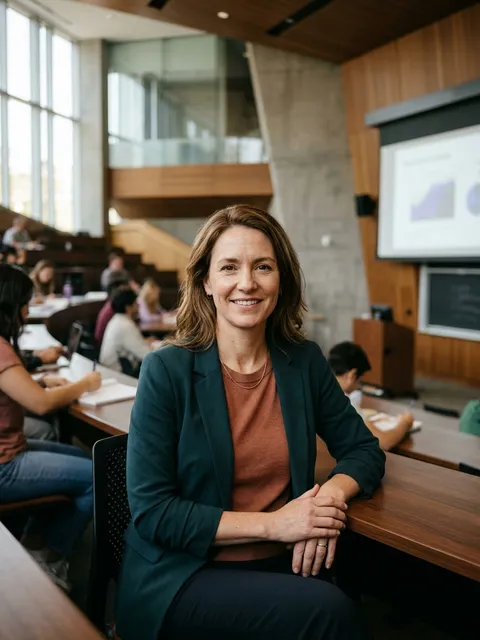 mature, confident
Margaret
E-learning · Presentations
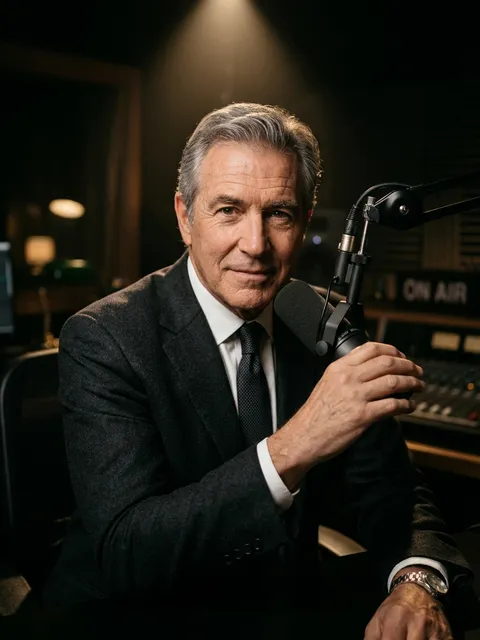 deep, velvety
Daniel
Trailers · Documentary
 clear, friendly
Emily
E-learning · Podcasts
 young, laid-back
Jake
Vlogs · Podcasts
 teen, bright
Chloe
Cartoons · Games
How it works
Step 1
Paste your text
An article, a video script or a dialogue. Pauses and audio tags are added with the buttons under the box.
 Briannarrator
 Jessicabright
 Hankstoryteller
Step 2
Pick a voice
Voice, delivery, emotion and speed: all in the tiles under the box.
Step 3
Download the MP3
The audio lands in your history: listen here and download the file.
What MiniMax Speech 2.8 HD is
MiniMax Audio is the speech model line from the Chinese company MiniMax, and Speech 2.8 HD is its high-quality text to speech version. Where it stands out is control: you can set the length of every pause down to a hundredth of a second, drop a laugh or a sigh into the text, and choose the emotion, speed and pitch of the voice. It also clones your own voice from a short recording. On ai.neiroset, MiniMax runs next to other AI models in one account.
- Thirteen voices. Five native English voices (Margaret, Emily, Chloe, Daniel, Jake) and eight Russian voices that read English with a slight accent.
- Exact pauses. <#1.5#> in the text means a second and a half of silence, anywhere from 0.01 to 99.99 seconds.
- Interjections. (laughs), (sighs), (coughs), (clears throat), (gasps), (sniffs), (groans) and (yawns) turn into real sounds.
- Seven emotions. Neutral, happy, sad, angry, surprised, fearful or disgusted, plus intensity and timbre sliders.
- Your own voice. Record or upload 10 seconds to 2 minutes of speech, and MiniMax reads any text in your voice.
Want the widest choice of native English voices and emotion tags? See ElevenLabs.
What MiniMax is good for, and what it is not
Good for
- Phone greetings, IVR menus and announcements with exact pauses.
- Voiceovers with a set emotion: an upbeat ad, a sad story.
- Voicing any text in your own voice.
- Text in other languages from the model’s list of 37.
Better with another model
- A wide choice of native American voices: ElevenLabs has fifteen native English voices.
- Scenes with stage directions and several characters: use Seed Audio.
MiniMax Speech 2.8 HD specs
- Developer
- MiniMax
- Model
- Speech 2.8 HD
- Voices
- 5 English and 8 Russian, plus your own
- Languages
- 37, including English, Spanish, Portuguese, French, German and Japanese
- Pauses
- <#x#>, from 0.01 to 99.99 seconds
- Emotions
- 7, set in Settings
- Speed
- 0.5x to 2x
- Pitch
- Up to 12 semitones lower or higher
- Text per run
- Up to 3,000 characters
- File
- MP3 or FLAC
- A short line
- Ready in 5–7 seconds
MiniMax or ElevenLabs
How to voice text with MiniMax
- Step1Paste your textUp to 3,000 characters per run. Pauses and interjections go in from the “Pauses and sounds” menu in the text box, at the cursor.
- Step2Pick a voice and an emotionFor English, start with Emily, Margaret or Daniel, or use your own voice. Emotion, speed and pitch are in Settings under the box.
- Step3Click “Generate voice”The price shows on the button before you run it. A few seconds later you get a player and a download button.
If a pause comes out too long or too short, change the number in <#…#> and voice the line again.
Example scripts
MiniMax free
After you sign in, every account gets 2 free voiceovers of up to 500 characters each, and you can spend them on MiniMax too.
- Sign-in is required: the attempts are tied to your account.
- If a voiceover fails, the attempt comes back automatically.
- After that, voiceovers are paid with tokens per character, and the price shows on the button before you run it. Creating your own voice is paid separately.
MiniMax FAQ
No. ai.neiroset is an AI aggregator and is not affiliated with MiniMax. Here, MiniMax Speech 2.8 HD runs in one account next to other voice, text, image and video models.
Margaret, Emily, Chloe, Daniel and Jake. The eight Russian voices also read English, but with a slight accent.
Write <#1.5#> in the text, where the number is the pause length in seconds. Ready-made pauses are in the “Pauses and sounds” menu in the text box.
Seven: neutral, happy, sad, angry, surprised, fearful and disgusted. If you do not pick one, the model chooses the delivery itself.
Yes. In the voice picker choose “Your own voice”, record or upload 10 seconds to 2 minutes of speech and confirm that it is your voice. It is kept with no expiry and works in MiniMax Speech 2.8 HD.
Up to 3,000 characters. Voice long texts in parts with the same voice, and the joins will not be audible.