GTA Filter: Turn Your Photo Into GTA-Style Cover Art
Upload a photo and the AI redraws it as a GTA-style illustration: bold outlines, cel-shaded color, hard contrast and the look of an action poster. Your face, hair, pose and outfit carry over, so the result reads as you drawn in the spirit of the Grand Theft Auto cover art rather than as a random character. There are no settings and nothing to type: upload, press Create, download.
How the GTA filter works
This is a redraw, not an overlay. The photo is used as a reference, and the model paints the scene again as a GTA-style illustration — heavy outlines, flat blocks of color, hard shadows, a poster finish. It runs on a web page, so there is no camera effect to point at your face: you pick a file, you get a picture back, and both stay side by side in your account.
Nothing to install and nothing to tune. If you want a different take, the lever is the photo itself: another angle, another background, another outfit. Each run stays in History, so you can line them up and keep the best one.
What a GTA-style photo actually looks like
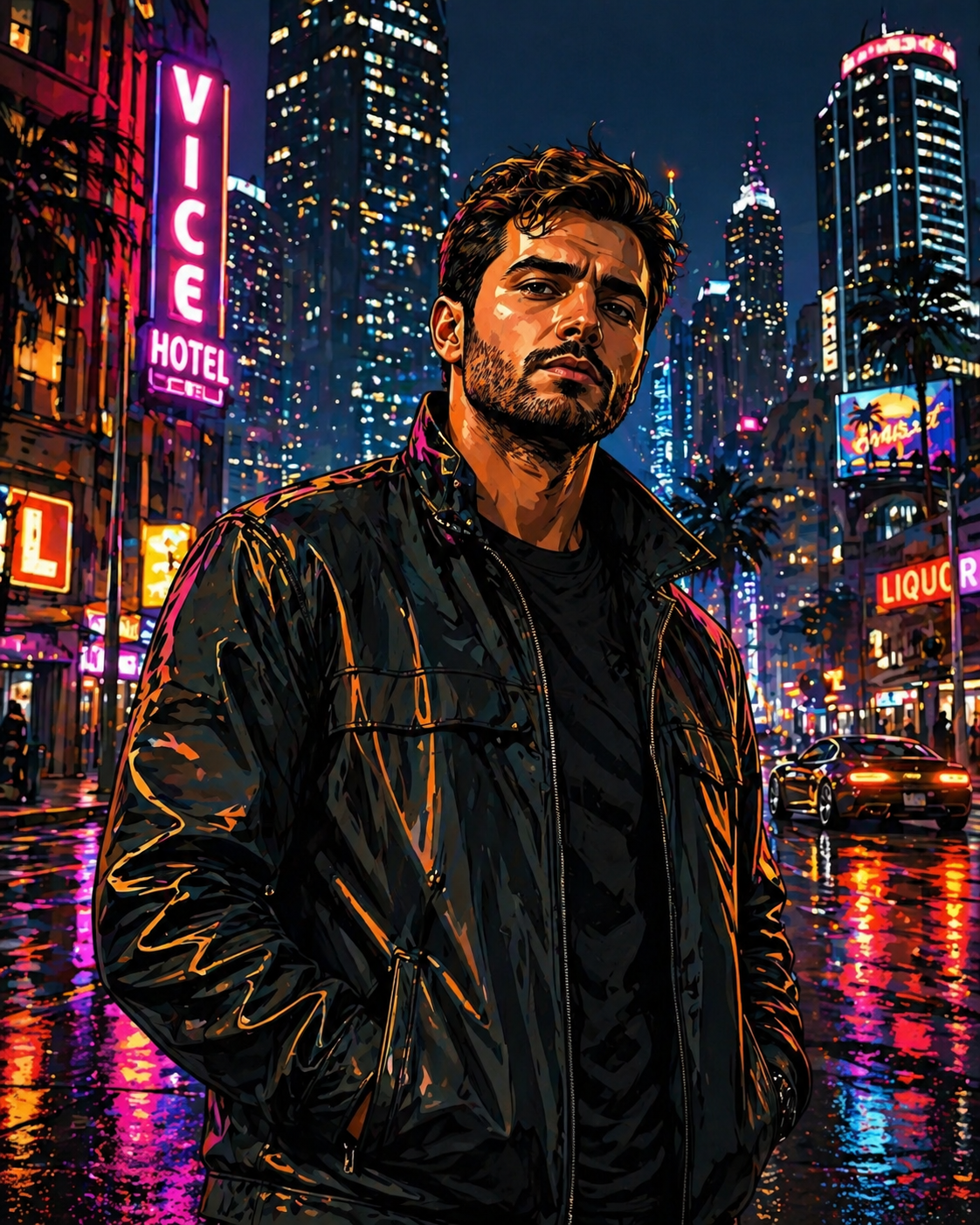
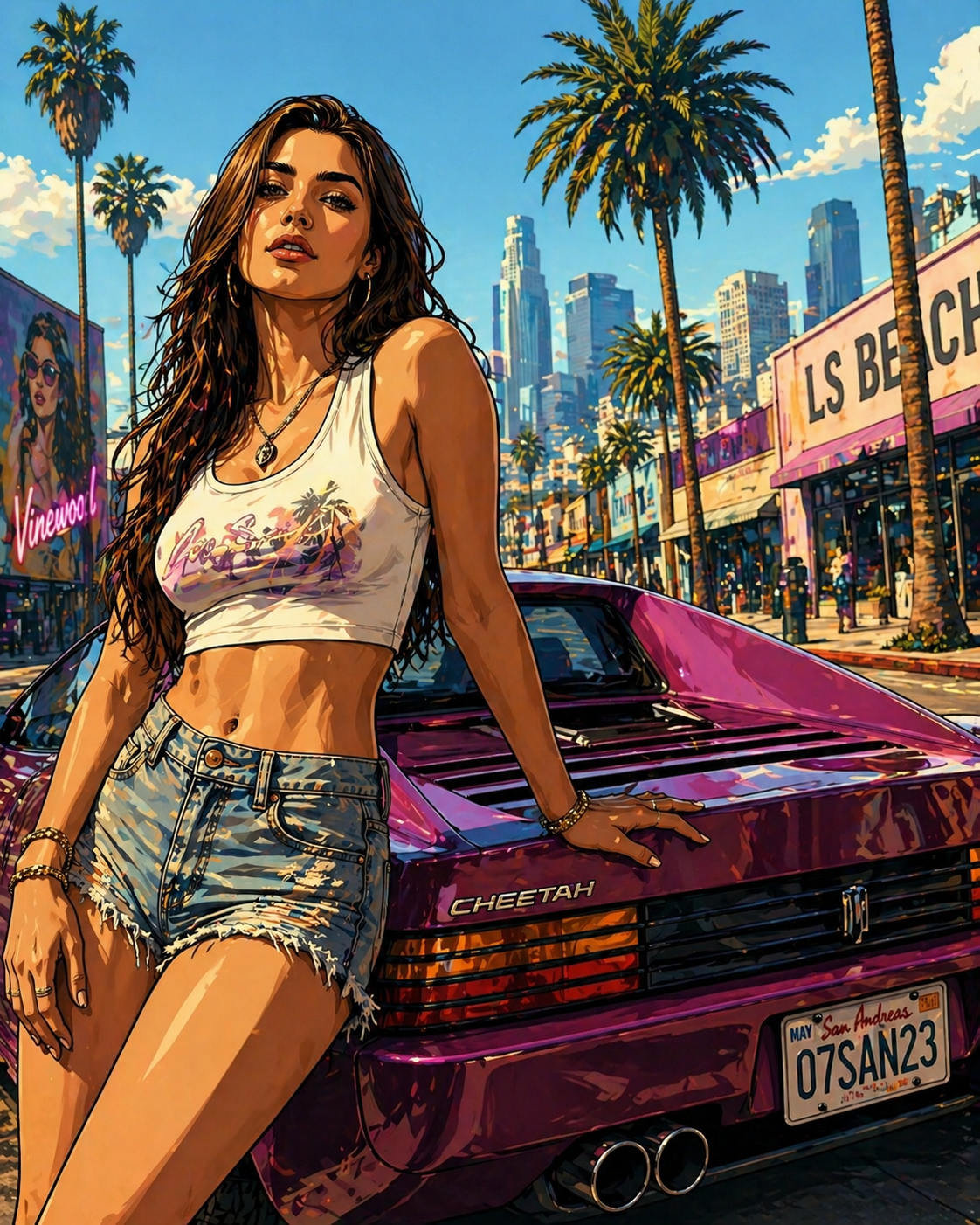
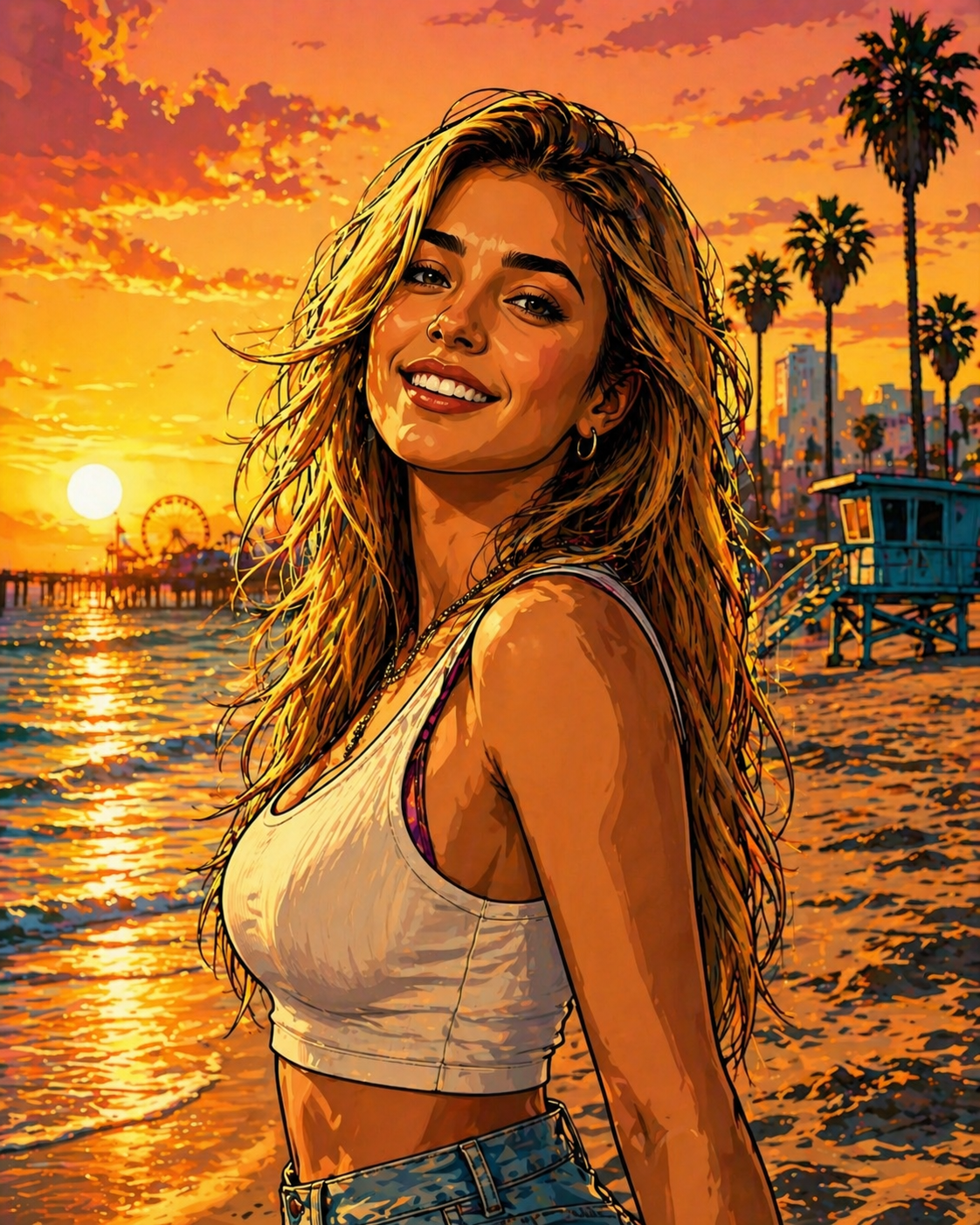
Think of the painted character art on the game boxes and posters, not of a screenshot from the game. The result is a flat 2D illustration: every shape gets a dark contour, skin and clothes are shaded in two or three hard-edged tones instead of smooth gradients, and the colors are pushed hot — deep sky blues, sunset oranges, neon pinks, glossy car paint.
The lighting turns dramatic on purpose. Faces pick up strong contrast, the background gets simplified into bold color fields, and the whole frame starts to read like a movie poster for an action film that does not exist. That comic-book punch is the point of the style, and it is what separates it from a regular cartoon filter.
What it is not: a 3D render, an in-game character, or you dropped into a game map. You get one still image in that painted poster idiom, built from your own photo.
Photos that make the best GTA-style art
The style loves anything that already looks a little cinematic. These are the scenes the examples on this page are built from, and they are a good guide to what to upload.
A leather jacket, wet pavement, neon reflections. Night shots come back the most dramatic: the neon turns into saturated streaks of pink and cyan, and the contrast on the face goes hard.
Leaning on a sports car, palm trees in the background, bright sun. The car paint goes glossy and loud, the palms flatten into silhouettes, and the frame gets that neon-lit 80s Miami vibe.
Warm light from the side is a gift for cel shading. The sky becomes bands of orange and purple, and a smile holds up well because the face is lit.
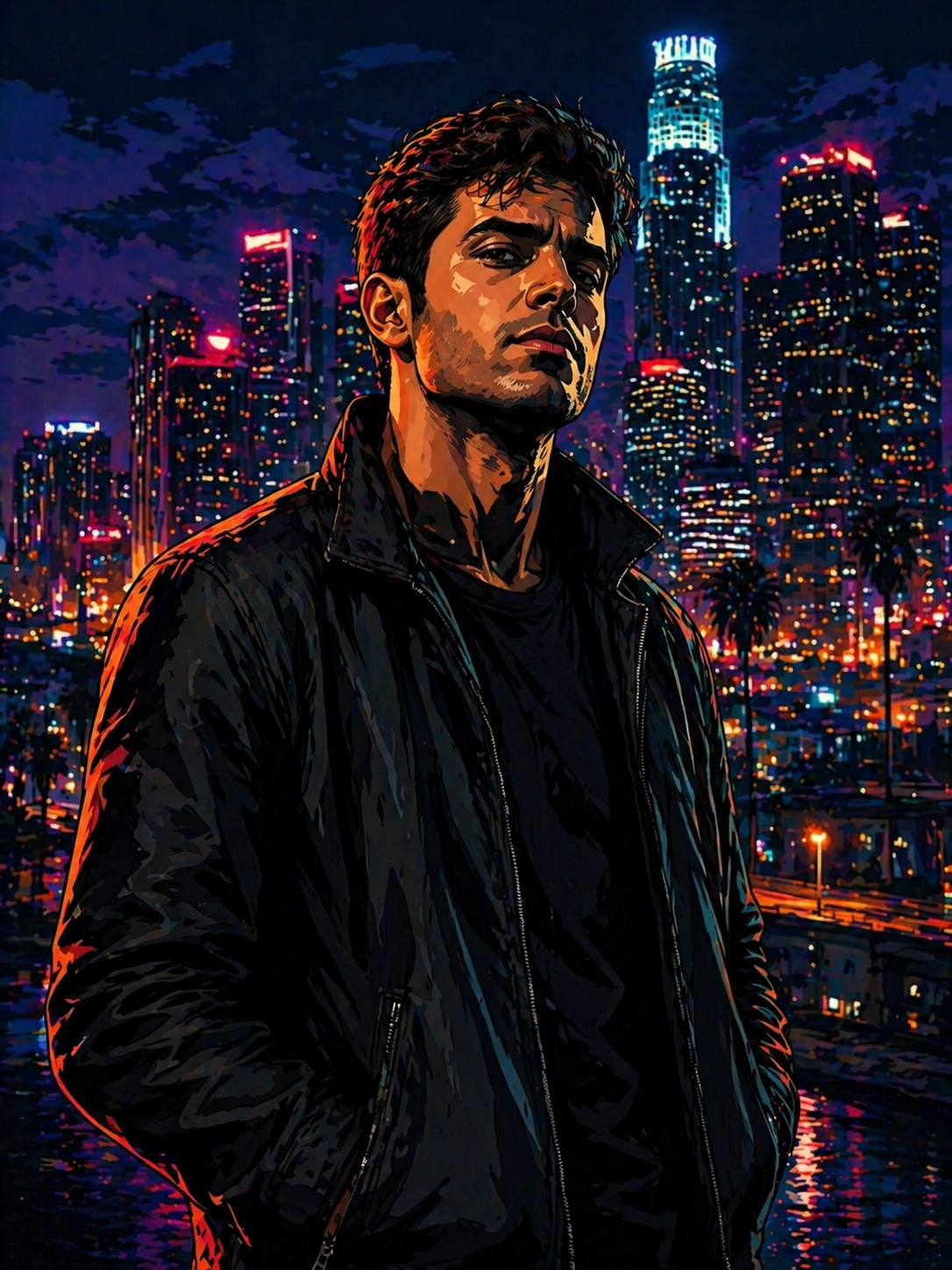
Head and shoulders in front of a night city of towers. This one reads most like classic loading screen art: a single character up front, a glowing city behind.
An ordinary daylight selfie works too. It just comes back calmer, because the style amplifies the light and color that are already in the frame rather than inventing a night scene around you.
What your photo needs
The model draws what it can read. A weak result almost always traces back to a source that was hard to read, not to the style.
If the shot you want is soft or small, fix it first: unblur image for a blurry frame, image upscaler for a tiny one, photo enhancer when it is also dark and flat.
What people make with it
A GTA-style profile picture or avatar
This is the most common reason people turn themselves into a GTA-style character. For an avatar, start with a head-and-shoulders photo where the face fills a good part of the frame. Profile pictures get cropped into a small circle, and in a circle only the face and the hair survive, so those are what the source photo should show well.
Crop after the run, not before. Upload a photo with a little room around the head: the style needs some background to paint, and the poster look comes from that background as much as from the face. Then cut a square around the face from the downloaded file.
Standard gives you an image with its long side at 1024 px, which is more than any profile slot asks for. For a banner or a header where you plan to crop tightly, Pro at 2048 px leaves more room.
Couples, friends and group shots
A photo of two works well and looks the most like cover art, which often stacks several characters in one frame. Stand close, keep both faces lit, and both of you come back in one consistent drawing — same palette, same line weight, same light.
For a crew of four or five, the group stays intact: the same people in the same arrangement. What drops is detail per face. The person in front gets the most care, the one at the back the least, and on a big group some faces can come out generic.
If you want a matching set of avatars rather than one poster, run each person's photo separately. The style is fixed, so separate runs already share one look; they are independent drawings, though, so backgrounds and colors will not be identical. Similar source photos — same kind of framing, similar light — bring them closer.
GTA cover art or loading screen art: what you get
People search for both, and they mean slightly different things. Loading screen art is usually one character, large, in a single illustration with the city or the sunset behind. That is very close to what this tool returns for a portrait: one painted character in one frame.
The cover art of the games is a layout: a grid of several panels with different characters and a logo on top. This tool draws one illustration from one photo. It does not assemble panels, add a title or put the game logo on the picture — and it should not, because the logo and the lettering belong to their owner.
If you want the panel-grid look, run several photos and arrange the results yourself in any collage app. Each one will already share the same style.
How this differs from the anime filter
Both redraw a photo as an illustration, but they aim at different worlds. Photo to anime draws in the Japanese animation idiom: clean thin lines, soft flat color, large expressive eyes, and five looks to choose from, plus a text box for wishes.
The GTA filter is the Western comic and poster idiom: thicker contours, harder shadows, realistic proportions, normal-sized eyes, and colors pushed toward sunset and neon. It has one look and no text box. If you want to stay closer to your real proportions, this one usually does; if you want a softer, stylized character, the anime page is the better fit.
What stays and what gets restyled
The honest answer to "will it look like me" is: recognizably, but not one to one. Part of you is carried over, part of you is translated into the style.
Usually carried over
Reinterpreted by the style
Free, in your browser: what you get and where the limits are
There is no app to install. The page works in Safari or Chrome on an iPhone, an Android phone or a laptop, and nothing asks for access to your camera roll — you pick one photo. Results stay in your account and open on any device you sign in on.
You can try it for free. A new account gets two free generations in total — not two a day, not two a month — and this tool is one of the ones they cover. Free runs use Standard quality; Pro is part of a paid plan. After that, work continues on a plan or a pack, and the terms are on the pricing page.
Download is open from the start, so a free run gives you a real file. Until the account makes its first purchase, results carry a light ai.neiroset.com signature in the bottom-right corner; any purchase removes it permanently, including from images you already made.
Under Quality, Standard returns the image with its long side at 1024 px and Pro at 2048 px. Uploads are JPG, PNG, WEBP — up to 10 MB. iPhone photos in HEIC are not accepted: set the camera to "Most Compatible", or share the photo to yourself once, which converts it to JPG.
You need an account: the form works as a guest, but Create opens the sign-in window. There is also a pace limit of six runs a minute, which normal use does not reach.
What to keep in mind
Trademark note. GTA-style and Grand Theft Auto-inspired describe the look only. Grand Theft Auto and GTA are trademarks of their owner, which does not sponsor, authorize or endorse this site.
Frequently asked questions
How do I turn myself into a GTA character?
Upload a photo of yourself and press Create. That is all: there are no styles to pick and nothing to type. The GTA-style illustration appears in History next to the original, ready to download.
Is this a GTA filter like the ones in camera apps?
Not in the live-camera sense. Nothing is layered over your face in real time. You upload a photo and the model paints a new picture from it, which is why the result looks like actual cover-style artwork rather than a tinted selfie.
Will it look like me?
Recognizably, yes: hair, pose, clothes and the overall read of the face carry over. But the style simplifies features into bold shapes and hard shadows, so the likeness is not one to one. A large, sharp, well-lit face gives the closest result.
Can I choose the scene, the outfit or the era?
No. The style is fixed and there is no text box. The scene, the outfit and the mood come from your photo, so a night street photo gives a neon poster and a beach photo gives a sunset one. To change the result, change the photo.
Does it work for couples and groups?
Yes. Two people look great and come back in one consistent drawing. Bigger groups stay intact, but each face gets less detail, and faces at the back can come out generic. For matching avatars, run each person separately.
Why does the text on signs look strange?
Lettering in the frame is repainted along with everything else, not copied, so small words on signs, plates and shirts often come out as garbled letters. If a sign matters, pick a photo where it is large, or crop it out.
Is this affiliated with Rockstar Games or GTA?
No. This is an independent tool, and it is not official, licensed or endorsed by the game's publisher or its owner. "GTA-style" describes the look of the illustration only. The result is an original image generated from your own photo, with no game logo, characters or artwork in it.
Can I use the picture as my profile picture or post it?
Yes, that is what most people make it for: a pfp, a post, a gift for a friend. Keep it to personal use and do not put it on products for sale.
Is it free, and can I download the file?
A new account gets two free generations for the lifetime of the account, on Standard quality, and this tool is one of them. Download is open from the start. Results carry a light ai.neiroset.com signature until the account's first purchase, which removes it permanently.
Do I need an app or an account?
No app: it works in a mobile browser on iPhone and Android the same way as on a desktop. An account, yes: Create opens the sign-in window, and your results are kept in your own History. On paid plans a Private switch next to Create keeps a run out of the site's public gallery.
Try other tools
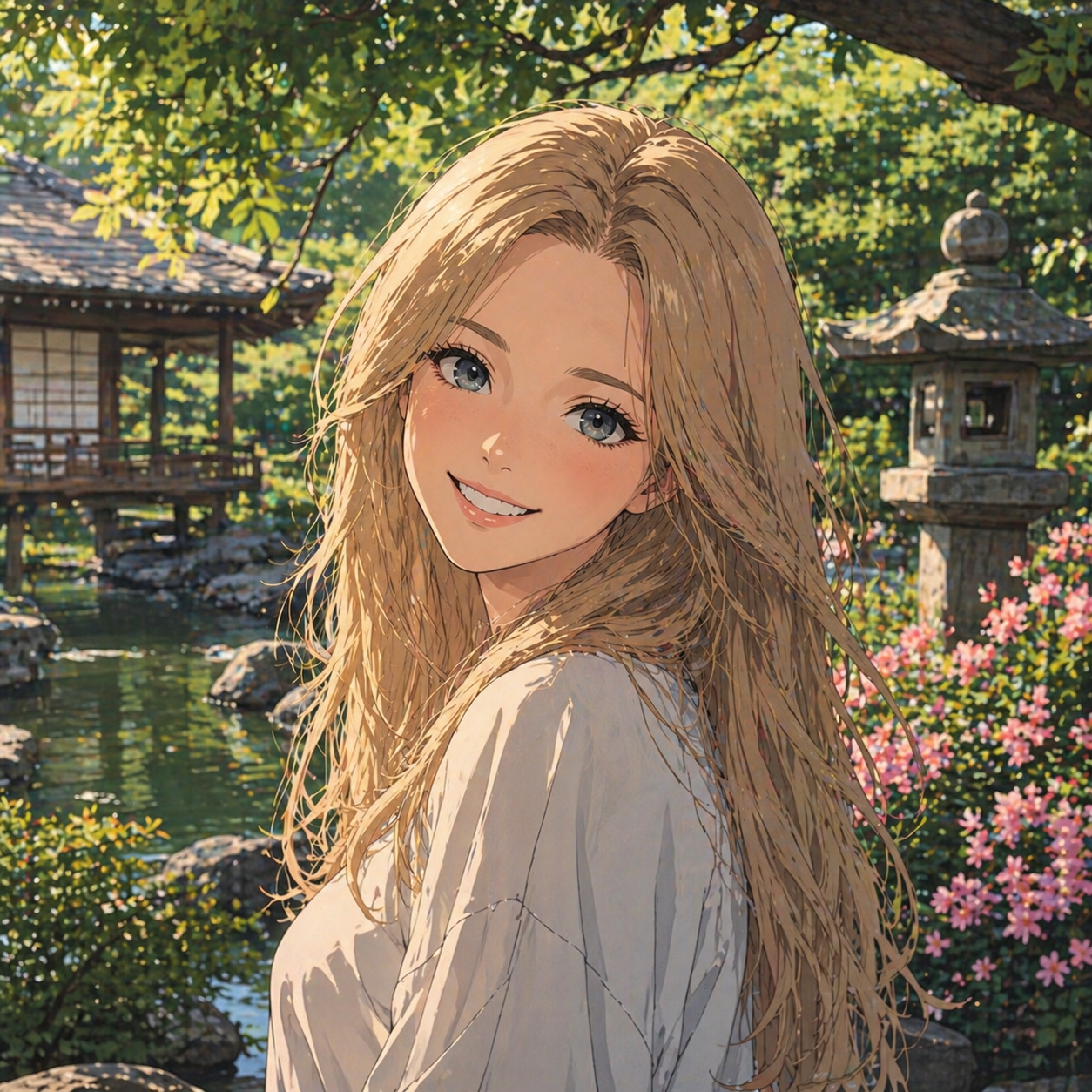 Photo to anime
 80s poster filter
 Minifigure generator
 Ghibli style
 Oil painting
 AI profile picture
 AI snow photo
 Photo enhancer
 Background remover
Everything else is in the tools catalog.